
Jackbox Alternatives
Games Like Jackbox That Use Your Phone
Jackbox has a formula I genuinely like: one screen, phones in everyone’s hands, and a group of adults suddenly taking bad drawings very seriously. But after a few evenings, you might want new games without changing the whole setup.
So I looked at games like Jackbox that use phones. Some keep the TV-and-controller experience; others work better for people in different homes. Here’s how they compare—and yes, our own platform is in the mix, with the bias disclosed.
Compare The Options
All six options below use phones for input on a shared screen. Player limits depend on the game and access tier.
| Platform / Play Style | Hub + phones | Players | Access |
|---|---|---|---|
| Gametje Create party games | Browser + shared screen | Varies by game | Check current offer |
| AirConsole Arcade and gamepad variety | Browser / supported TV + phones | Varies by game | Limited free tier; Hero subscription |
| Gaming Couch Action and racing | Browser + phone controllers | Up to 8, by game | Advertised as free |
| PadlessBox Familiar arcade and puzzles | TV mode; separate Remote mode | Up to 6 per room | Advertised as free |
| Buzzin TV-led quiz show | Shared screen + phone browsers | 2-8 recommended | Free to try; host pays |
| Quizado Host-led quizzes | Host display + phone answers / buzzers | Check game and plan | Free starter tier; paid plans |
Gametje - Creative parth games
Host: Browser + shared screen
Players: Varies by game · Check current offer
AirConsole - Arcade and gamepad variety
Host: Browser / supported TV + phones
Players: Varies by game · Limited free tier; Hero subscription
Gaming Couch - Action and racing
Host: Browser + phone controllers
Players: Up to 8, by game · Advertised as free
PadlessBox - Familiar arcarde and puzzles
Host: TV mode; separate Remote mode
Players: Up to 6 per room · Advertised as free:
Buzzin - TV-led quiz show
Host: Shared screen + phone browsers
Players: 2–8 recommended · Free to try; host pays
Quizado - Host-led quizzes
Host: Host display + phone answers / buzzers
Players: Check game and plan · Free starter tier; paid plans
Which One Fits Your Group
Some groups want to type truly questionable jokes. Others would rather steer a car into a wall than invent a punchline. I’d choose based on what your friends actually enjoy doing, not just which platforms promise phone controls. The six options below take noticeably different approaches.
Gametje
Creative party games - Our platform
For a group that wants creative answers and shared reactions rather than gamepad-style controls. Host in a browser, let everyone join on phones, and choose a game from the current catalogue.
Worth knowing: Check the selected game’s player range and access allowance. This recommendation is for same-room play; native remote play and public matchmaking are not assumed.
Browse gametje.comAirConsole
Arcade and gamepad variety

A stronger fit for groups who want to steer, jump or race as well as answer questions. Phones act as gamepads, and the catalogue spans arcade, sports and social games.
Worth knowing: Hero changes game access and advertising. Check the selected title’s player limit and local pricing; a platform-wide connection allowance is not a per-game capacity.
Visit airconsole.comGaming Couch
Action and racing

For friends who prefer racing, dodging and short competitive rounds to writing punchlines. It offers free browser-based games with phone controllers.
Worth knowing: Remote players need screen sharing to see the host display. The site carries an alpha label: test your chosen game and devices before a planned event.
Visit gamingcouch.comPadlessBox
Familiar arcade and puzzles

For a smaller group that wants familiar formats such as Snake, quizzes, Memory and tile puzzles. TV mode uses phones as controllers; Remote mode lets everyone play in their own browser.
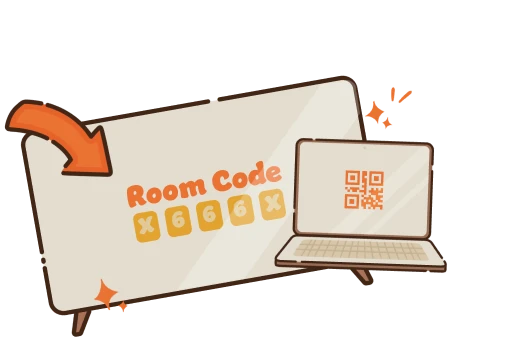
Worth knowing: The six-player room limit matters when everyone expects to participate at once. Choose the mode before sharing the room code.
Visit padlessbox.comBuzzin
TV-led quiz show

For a quiz night with a voiced host, characters and a game-show finale. Guests use their phone browsers; they do not need to install an app.
Worth knowing: Free guest participation is not unlimited free hosting. The provider recommends 2–8 players and says up to 12 are technically possible; confirm the selected game and offer.
Visit playbuzzin.comQuizado
Host-led quizzes

For hosts who want trivia formats, question libraries and control over the session, rather than a collection of comedy mini-games. Players join connected rounds from their phones.
Worth knowing: Check which starter packs, custom questions and formats your plan can actually play. Published free-tier limits differ across its pages; confirm the allowance before inviting a group.
Visit quizado.comOther Browser Alternatives
Not every game labelled a Jackbox alternative keeps the TV-and-phone-controller setup. Some put the action on everyone’s own screen instead. That’s not necessarily worse, just a different kind of game night. These three are still worth considering, especially when drawing or remote play is the priority.
GameBuddies

A room for remote friends
If half your friends are in different cities, I’d start here: browser games, room codes and built-in video chat are easier than juggling three separate apps. There’s drawing, trivia and deduction. Check the game you choose, though; this isn’t automatically a TV-with-phones setup.
Visit gamebuddies.comGartic Phone

Drawing and description chains
I love the premise: write a sentence, draw somebody else’s, then watch the idea become increasingly unrecognizable. Everyone uses their own device, and a voice call lets remote friends share the reveal. It’s a drawing-and-description chain, not a whole party pack.
Visit garticphone.comskribbl.io

Free drawing and guessing
Nobody needs a rules lecture: one person draws while everyone else guesses. It’s free, works in browsers and supports private rooms with up to 20 players. It’s one draw-and-guess game, not a rotating collection. Terrible drawings are arguably the best part.
Visit skribbl.ioAlready Own A Jackbox Pack?
Why not keep the pack when your group specifically wants Quiplash, Fibbage or Drawful? For traditional packs, only the host buys and installs; guests join in a browser. Party Essentials also includes three titles through Netflix on supported devices, with membership and controller-app requirements. An alternative should offer a better fit—not solve an invented limitation.
Official setup · Party Essentials on NetflixQuestions Be fore You Choose
Same Friends Different Game
For creative party play around one screen, browse Gametje’s current games. Check the player range, pick a format your group likes, and keep the games you already enjoy in the rotation.